
T-Scann 8 - project page
Super 8 / Regular 8 film scanner
Arduino to card Controll T-Scann 8
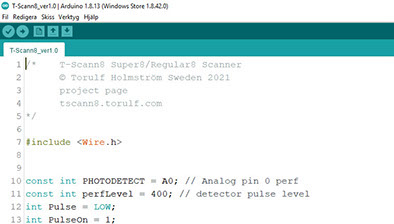
Updated Aug 26. It has now been added that at least 70 steps must be taken on the stepper motor before the next frame can be exposed. Wrong trigger is now eliminated or at least minimized. Stepper motor control is also improved.
Read more about this update - How the programs work -
Ver 1.45 and higermust be used for the new
ver 2.0 user interface.
Save the file in the Arduino library, open the file from the Arduino IDE
windows 10 example
C:\Users\Torulf\Documents\Arduino
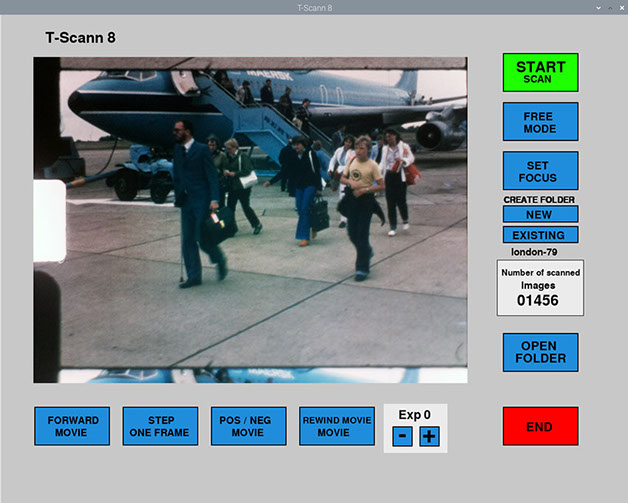
Raspberry PI user interface - New ver 2.1 -
The arduino IDE program must be installed on your computer. Is for sending code to Arduino Nano and editing this code if necessary.
https://www.arduino.cc/en/software
If you use Nano clone, from China, you also need to install Driver CH340G
You can see how to do this here
https://www.youtube.com/watch?v=iGOcJbOwB58
Read more about Arduino
To install symbian on 8GB SD card
you also need to download installation software
Once Raspberry Pi OS installed, - Camera and I2C must be enabled
https://www.raspberrypi.org/documentation/configuration/raspi-config.md
Some people have problems with I2C errors on the Raspberry PI side. Change in Config.txt "dtparam = i2c_arm_baudrate = 10000" link below how to change. The problem can occur already after 40-50 frames or after 2000 frames Thank you! Tobias Frid / Sweden for this tip.