T-Scann 8 - project page
Super 8 / Regular 8 film scanner
Installing arduino basics
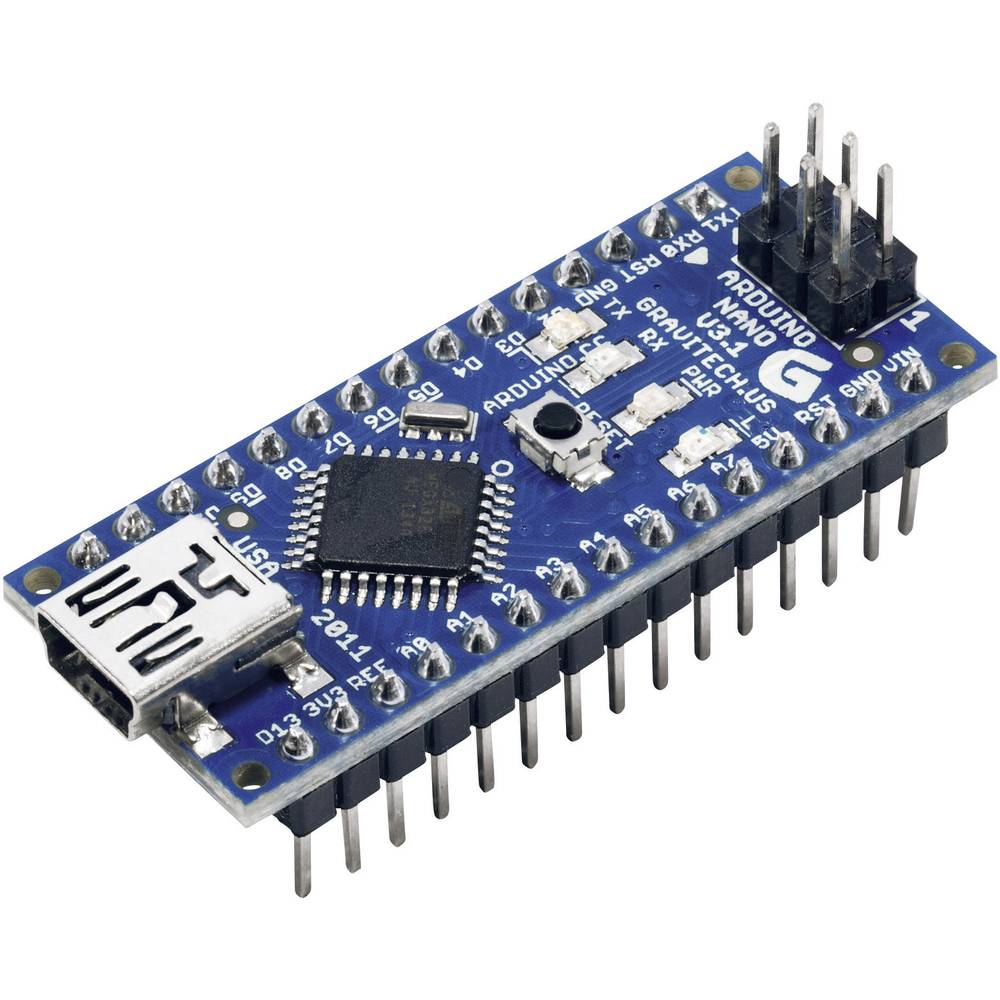
This is the Arduino Nano, the heart of the Controller board. Arduino in Italy invented it and many different versions. The version you should use is the one with the ATMega328 with 32 KB Flash Memory.
You can also use a Chinese copy, it works just as well.
There are copies without a bootloader, not so common but.., so the easiest way is to have a bootloader already installed but you can install it yourself.
Most often you solder the connection strip yourself.
It is programmed with a variant of C++
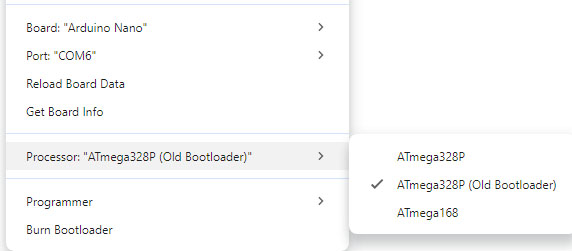
Arduino IDE must be set to the correct board and which port it uses.
The arduino IDE program must be installed on your computer. Is
for sending code to Arduino Nano and editing this code if necessary.
https://www.arduino.cc/en/software
If you use Nano clone, from China, you also need to install Driver CH340G
You can see how to do this here
https://www.youtube.com/watch?v=iGOcJbOwB58
Read more about Arduino
https://www.arduino.cc/
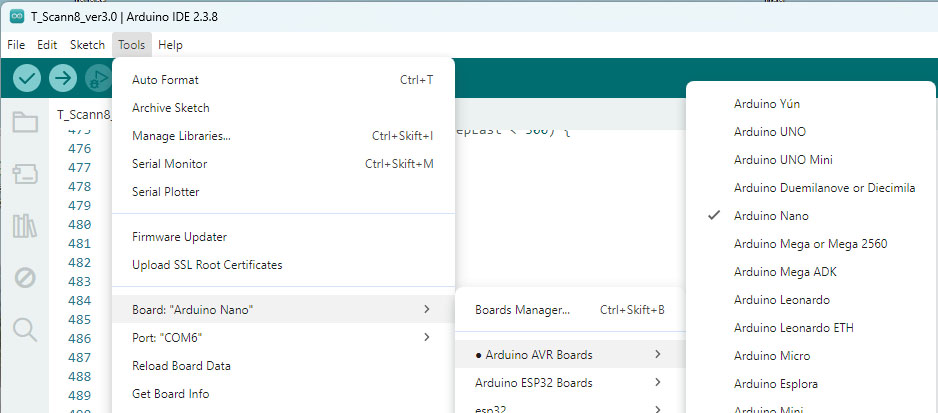
Once you have installed Arduino IDE on your computer. Save the zip file on your computer and unzip the file. On windows 11 click on the file and it will tell you that it needs to save the file in the library. Let it do that! Mac os I assume it works similarly?
Processor needs to be set to ATmega 328P or ATmega 328P(old bootloder) just try it out